
ComfortIQ™
A streamlined scanning app by Dr. Comfort
Key Features
Quick Scan Ordering
Instantly scan products to build orders faster, even without an internet connection, so workflows stay uninterrupted.
Smart Order Builder
Speed through orders with preloaded product presets or easily customize selections to fit each patient's specific needs.
Flexible Customization
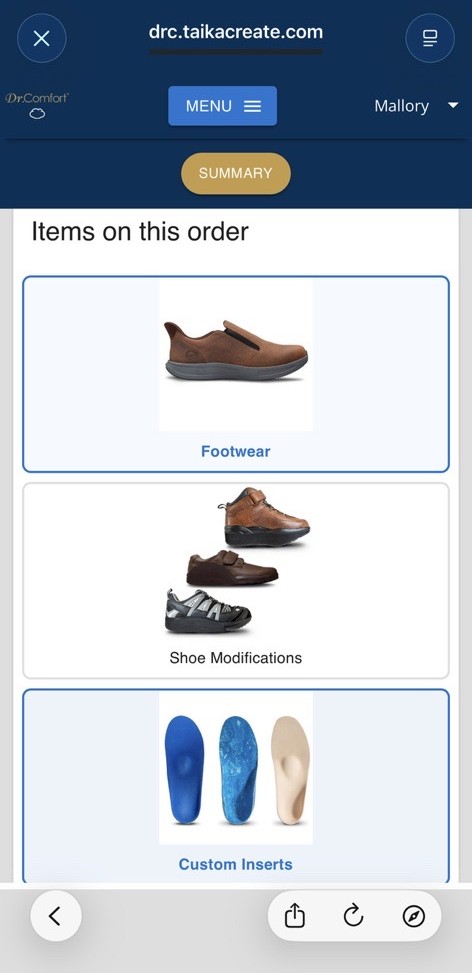
Order shoes, custom and non-custom inserts, and modifications with options tailored to each individual patient.
All-in-One Ordering Experience
Everything you need to complete an order in one streamlined place, simplifying workflows from start to finish.
Works With
- iPad Pro using TrueDepth (Front Camera)
- iPhone 12 and above using TrueDepth (Front Camera)
- iPad with Structure Sensor

Coming Soon
- Order Tracking (Sept 1st)
- Product Inventory Availability
- Additional Products
Quick Start Guide
ComfortIQ™ makes scanning and ordering simple with one streamlined workflow, so you can quickly capture, build, and submit accurate orders with confidence.
1
Log In
- Go to DrComfortIQcustomizer.com
- Log in (or reset your password to create your account)
2
Build Your Order
- Click New Order Form to start a new order
- Select products you'd like to order
- Complete selections and accommodations as needed
3
Scan
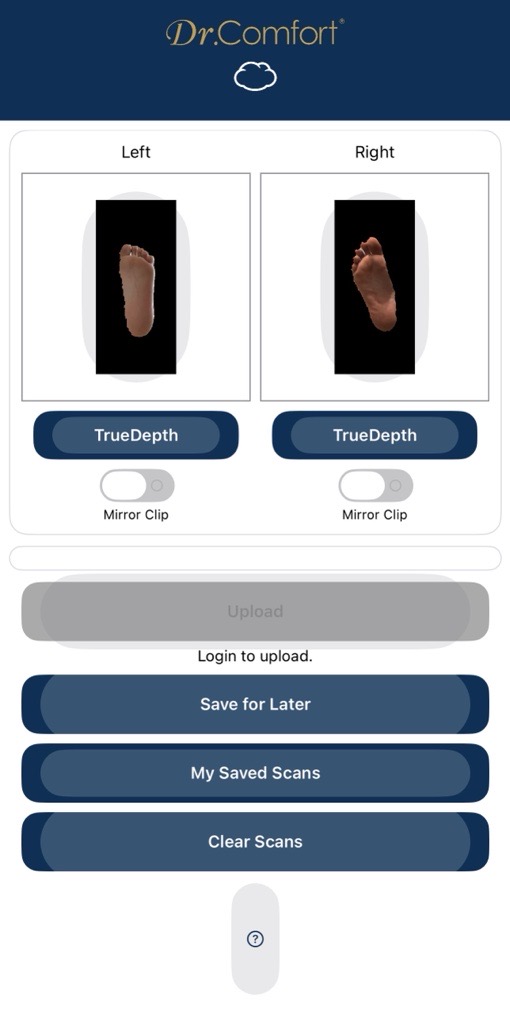
- Click the Right and Left feet scanning boxes to scan
- —OR— pull in scans completed earlier and attach them
4
Review & Submit
- Look over the summary page and submit
- Alternatively, save the order for later — this can be done at any point in the ordering process
Step 1

Step 2
Step 3
Watch How It Works